
Friday, January 24, 2025

Wednesday, January 15, 2025
W4UOA Mentone, Alabama

This was the final configuration of W4UOA
at our home in Mentone, Alabama. We moved to
a retirement community in Gainesville, GA in July 2023.
Friday, August 30, 2024
Monday, March 20, 2023


Sunday, September 11, 2022
Mentone Bear Lock
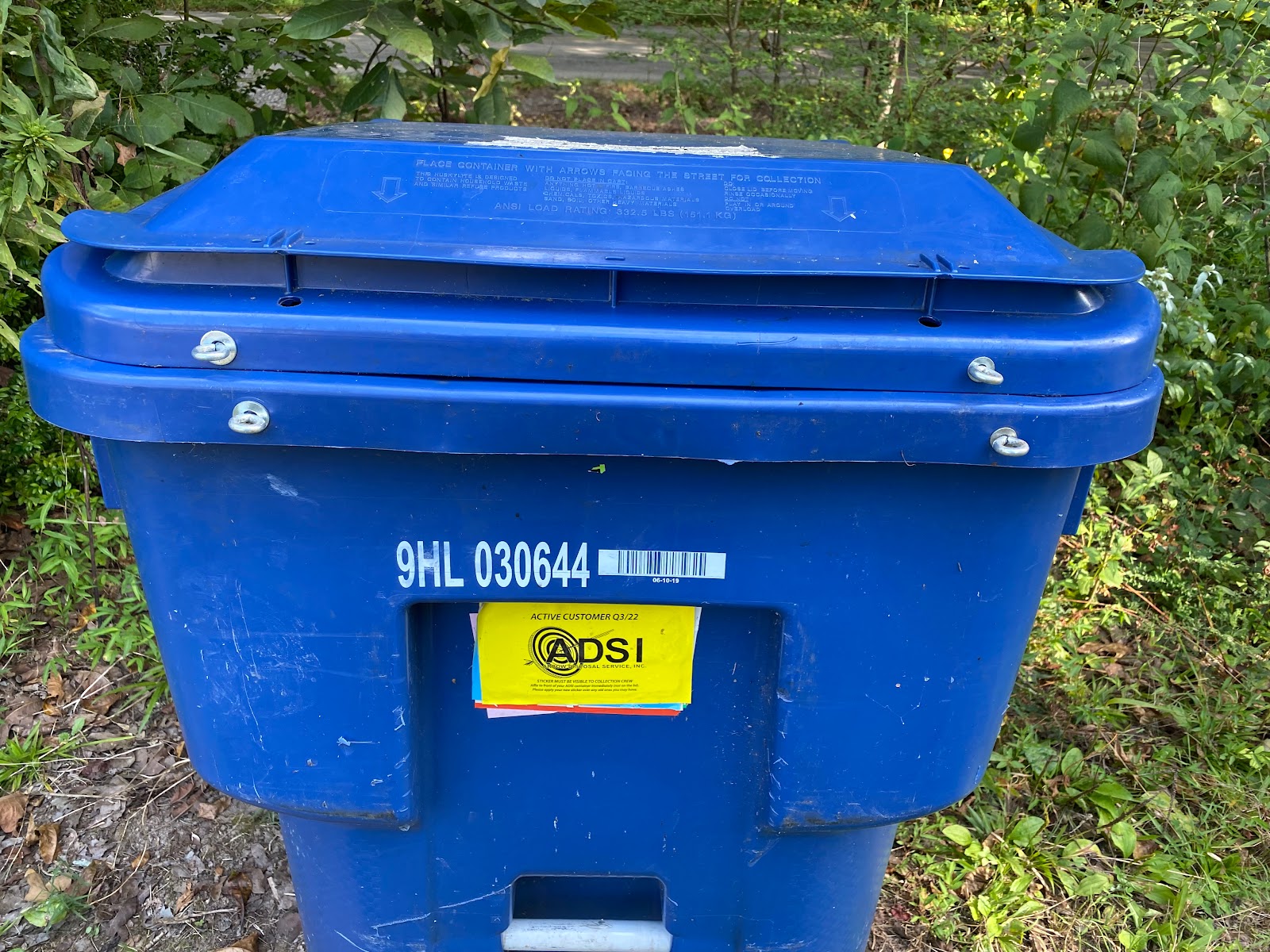
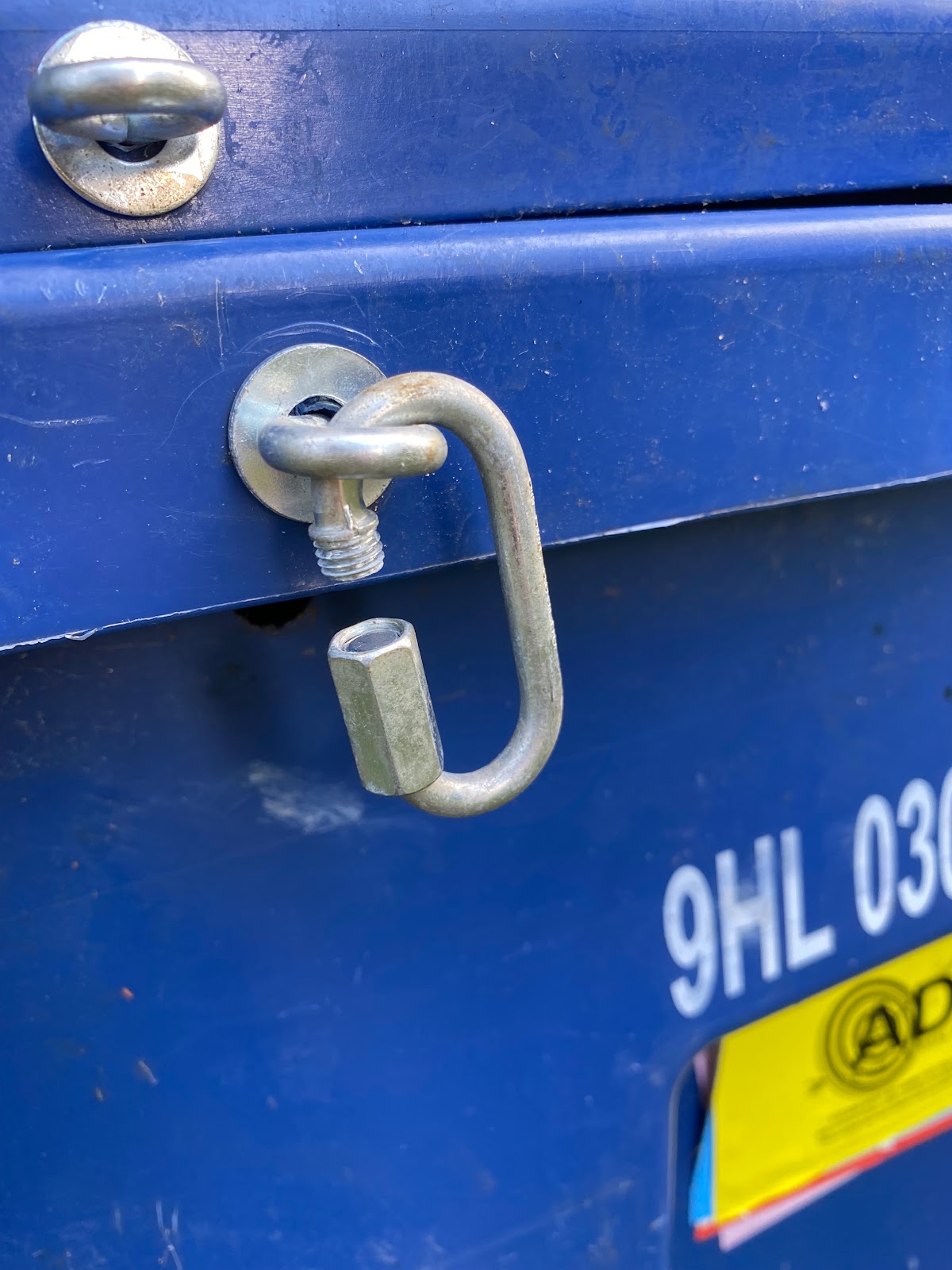
Trash can bear guard. Put a pair of eyebolts on the rim of the lid and rim of the container--a pair on each side; 1/4" bolts should be sufficient. Use washers on the outside and inside to prevent the eyebolt on the outside and the nut on the inside from working into the plastic container. On the inside use lock washers to minimize the risk of the nut working loose.
I have used both snap links and quick links to attach the pairs. The pictures below show quick links. I suspect the snap links would be just fine. However, I decided the quick links would be more secure; less likely to open up if subjected to serious shaking.




Saturday, September 3, 2022


Saturday, October 30, 2021


Tuesday, October 26, 2021


Monday, December 28, 2020
Saturday, October 24, 2020


Tuesday, October 20, 2020

Thursday, September 3, 2020
TDR Plots for Attic Antenna
Feed Line into a 50 ohm Dummy Load

Feed Line into an Open

Feed Line into a Short

Feed Line into DX-EE

Wednesday, September 2, 2020


Attic ready for DX-XX
Feed point hangs from roof rafter

Southeast end point ~2' off attic floor

Southeast looking Northwest
See feed point pull rope in the middle

Northwest end point bolted to roof rafter

Friday, August 28, 2020


Saturday, August 15, 2020

Friday, August 14, 2020
Dipole Orientation

Looking toward East End


Dipole West Leg Standing at Feed Point
Looking toward West End

Subscribe to:
Posts (Atom)